

Inspect an Internal Thread
To check an internal thread without cutting the part, take a complete impression with F20, pull it straight out after polymerization, and measure it without contact. If you only need the thread profile, take a partial impression with a Medium product and slice it with the Double Blade Cutter.
Which Product
An internal thread traps the impression, which creates a removal constraint. For a complete impression of an internal thread, the usual product is F20. It is our most flexible Fluid product for measurement and accepts a removal constraint up to 30%.
Calculate the constraint first with the formula C = (1 − Dmin / Dmax) × 100. For a thread with Dmax = 16 mm and Dmin = 14 mm, C = 12.5%. Above 30%, F40 accepts up to 35% and F30 Max up to 40%. If you want to slice the complete impression, use F40, which the Double Blade Cutter accepts.
Step by Step
- Degrease the thread and let it dry.
- Mount the F20 cartridge in the dispensing gun, lock the nozzle, and clip a tip on it.
- Choose the demolding ring that fits the diameter.
- Extrude a test drop and check that its color is uniform.
- Inject from the bottom of the cavity, keeping the tip always immersed in the product.
- Rub the walls as you fill to keep small bubbles out of the thread.
- Place the demolding ring and add a grip of about 1 cm.
- Wait for polymerization, and check the test drop with a fingernail. F20 can be removed after 6 minutes.
- Pull straight out. Never unscrew the impression, because a rotation would destroy the replicated thread.
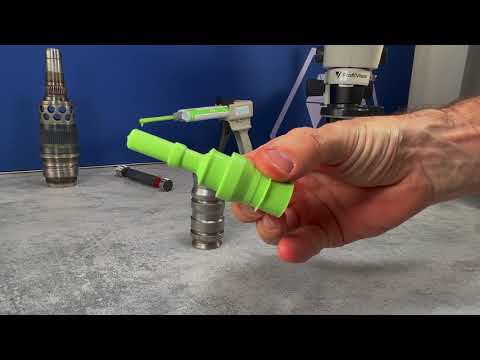
Measure the Thread
An F20 impression is Flexible, so you measure it without contact on a profile projector or a vision system. It comes out deformed when you pull it and returns to its geometry by shape memory.
If You Only Need the Profile
To check the profile of the thread and not its diameter, a partial impression is enough. Because the removal constraint drops to almost zero, a Medium product becomes usable. You can then slice the impression with the Double Blade Cutter for the profile projector.
