

Make an Impression
To take a Plastiform impression, degrease the part, check the mix, apply the product, wait for polymerization, then extract the impression in a straight line.
Before You Start
Run through this list before each impression.
- The surface is degreased and dry.
- You have calculated the removal constraint and the product accepts it.
- Your product is chosen with the right initial consistency and the right final hardness.
- The right nozzle is mounted on the cartridge, with or without a tip.
- Your test drop is done and its color is uniform.
- A demolding ring of the right diameter is ready.
- The extraction direction is identified on the side with the lowest removal constraint.
Select the Product
Your choice of product comes from three filters, applied in this order: initial consistency, final hardness, and removal constraint. The Plastiform Finder applies these filters for you from a few questions.
Degrease the Surface
Degrease the part before every impression with DN1 or a validated degreaser. Spray the surface, then wipe it with a clean microfiber until it is dry and clean. A surface that looks clean can still carry oil.
A greasy surface prevents proper polymerization. The impression stays sticky and your measurements will be wrong.
Mount the Cartridge and Check the Mix
- Insert the cartridge in the dispensing gun, with the key at its base facing down.
- Remove the cap with a quarter turn to the left.
- Lock the nozzle with a quarter turn to the right.
- Clip a tip on the nozzle for an internal cavity and a Fluid product.
- Extrude a test drop next to the part and check that it has one uniform color, because two colors mean the mix is not homogeneous.
Keep the test drop next to the part. It will also tell you when polymerization is complete.
Inject or Apply
Inject within the working time of the product, given on its technical sheet. For a Fluid product in an internal cavity, start from the bottom. Keep the tip immersed in the product and rub the walls in circles to chase the bubbles. Once the cavity is full, add a demolding ring and a grip of about 1 cm.
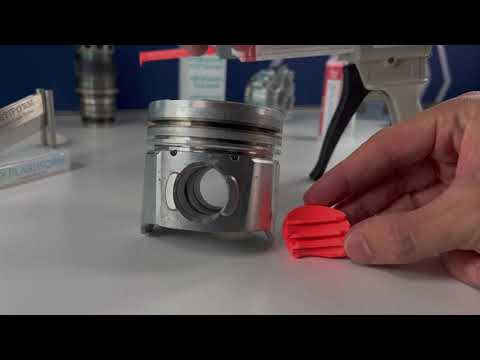
For a Pasty product on an external surface, work without a tip. Keep the nozzle in contact with the surface, inject with slight pressure, and compress the product with a flat card.
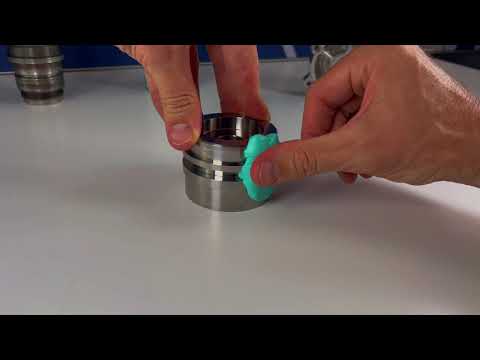
For a Manual Putty, mix equal volumes with your fingertips for 20 seconds at most, then apply the mix by compression.
Wait for Polymerization
The polymerization time at 23°C is printed on the label and on the technical sheet of the product. This time depends on temperature. Colder makes it longer, warmer makes it shorter.
Press a fingernail on the test drop to check polymerization. If your nail leaves no mark, the impression can be removed. Our technical sheets recommend waiting for complete polymerization, the last time of their timeline, before you remove and use the impression. Plastiform polymerizes as a whole, so if the top is hard, the entire impression is cured.
Extract the Impression
Pull the impression in a straight line. Never rotate or unscrew it, as a rotation would destroy a replicated thread. A Flexible impression deforms on the way out and returns to its original shape.
Measure the Impression
Non-contact measurement is the reference for any hardness, whether you use a profile projector, a vision system, or a scanner. Contact instruments need a Rigid impression, or a Medium one whose technical sheet allows it.
After the Impression
Put the original cap back on the cartridge. It stays usable until the expiration date printed on it. The nozzle is single-use because the product inside has hardened, but you can use the tip again.
Most failed impressions come from one of three causes: poor degreasing, uneven mixing, or a wrong extraction movement.
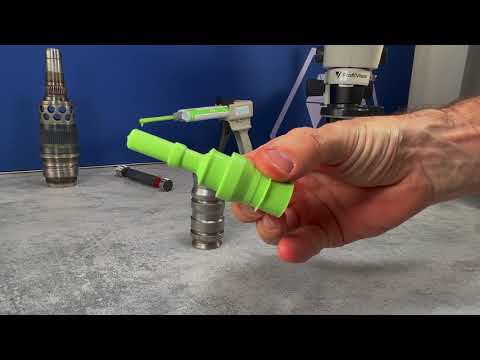
Fluid Product Example
Pasty Product Example
Manual Putty Product Example
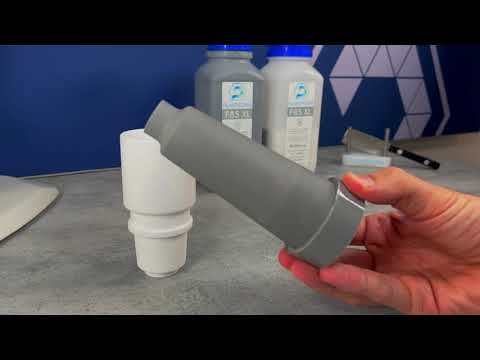
XL Product Example
Related Pages
- Degrease the Surface

- Mix the Components
- Inject Without Bubbles
- Extract Without Breaking
- Measuring Impressions
- Troubleshooting Chart